Skip to content
FacePaintHub

Three palettes. A different pair of wings.

Butterfly Face Paint Ideas

Compare soft pink, cool blue and warm monarch wings, then explore the look that feels like you.

AI-generated adult portraits for inspiration. Guides and time estimates are examples.

Pink Butterfly Face Paint on an original AI-generated fictional adult portrait
Pink Butterfly
Blue Butterfly Face Paint on an original AI-generated fictional adult portrait
Blue Butterfly
Monarch Butterfly Face Paint on an original AI-generated fictional adult portrait
Monarch Butterfly

Find your kind of wings

The same butterfly idea, three distinct moods. Look at color, wing shape and finishing detail.

Intermediate sample · 15 min estimate · 4 colors

Soft color, flowing wings

Pink and turquoise wings soften into a purple outline. White dots finish the edges without dividing the wings into many small panels.

  • Pink
  • Turquoise
  • Purple
  • White

Soft sponge · Round brush · Fine detail brush

Try on your photo

Intermediate sample · 18 min estimate · 4 colors

Cool color, fine definition

Blue outer wings meet turquoise centers. A fine dark outline and white accents make the cool palette feel more defined.

  • Blue
  • Turquoise
  • Black
  • White

Soft sponge · Round brush · Fine detail brush

Try on your photo

Intermediate sample · 22 min estimate · 4 colors

Warm color, patterned edges

Orange and yellow fill the wings. Black veins, segmented edges and white dots create a more graphic pattern.

  • Orange
  • Yellow
  • Black
  • White

Soft sponge · Round brush · Fine detail brush

Try on your photo

Compare wing shapes and finishing details as well as color count.

Pink wings, shape by shape

Follow the visual composition: pink shapes, turquoise centers, then purple outlines and white dots.

Illustrative sequence. AI-generated adult stages, not a tested painting tutorial.

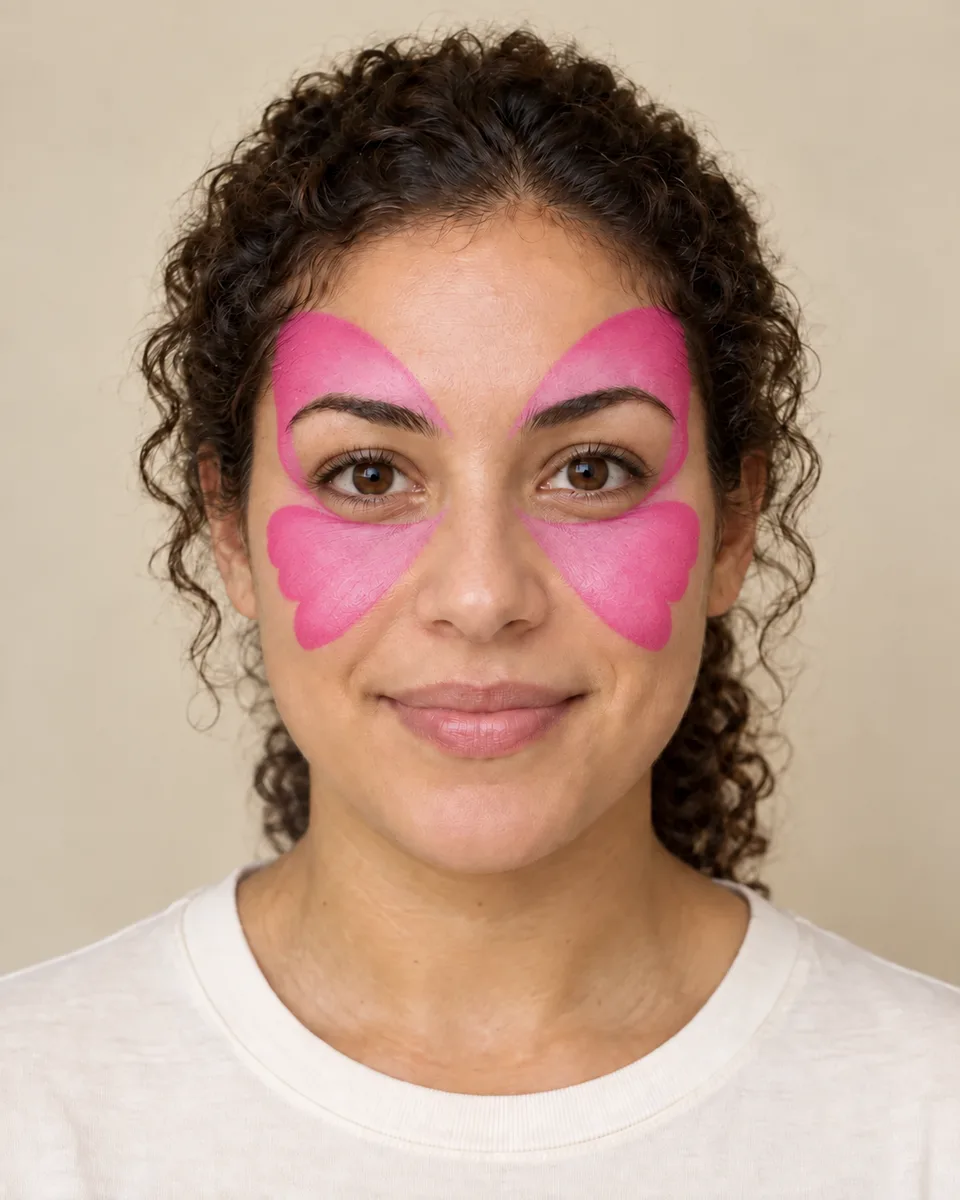
  1. Fictional adult portrait showing pink butterfly wing shapes only; AI-generated illustrative stage

    Shape the wings

    Pink upper and lower wings establish the shape around the eyes. The eye area stays clear in the illustration.

    • Pink

    Soft sponge

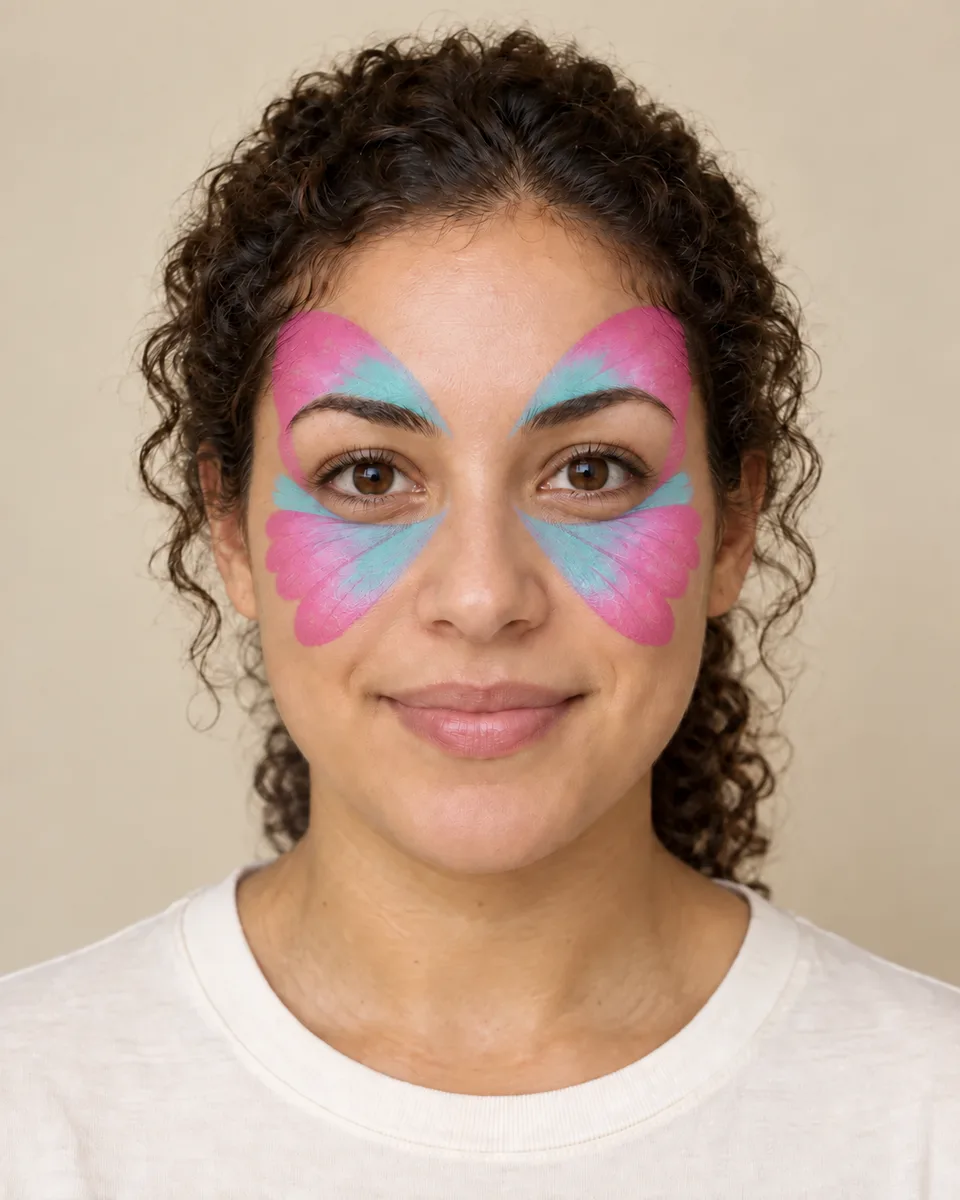
  2. Fictional adult portrait showing pink and turquoise butterfly wings before finishing details; AI-generated illustrative stage

    Add a second color

    Turquoise at the inner edges adds a second color. The wings keep the same position on both sides of the face.

    • Pink
    • Turquoise

    Soft sponge · Round brush

  3. Fictional adult portrait showing the completed pink butterfly with purple outlines and white dots; AI-generated illustrative stage

    Outline and finish

    Purple outlines, a central body and antennae define the butterfly. White dots finish the edges of the wings.

    • Purple
    • White

    Fine detail brush

Colors & finishing detail

A palette for each pair

Compare the actual example colors and tools. Soft shapes and fine outlines use different kinds of detail, even when the palettes have the same number of colors.

Concept materials are examples, not product recommendations or suitability assessments.

Pink Butterfly

  • Pink
  • Turquoise
  • Purple
  • White

Soft sponge · Round brush · Fine detail brush

View Pink materials

Blue Butterfly

  • Blue
  • Turquoise
  • Black
  • White

Soft sponge · Round brush · Fine detail brush

View Blue materials

Before you choose your wings

A little context about the samples, guides and photo preview.

Which butterfly designs can I explore?

Explore Pink Butterfly, Blue Butterfly and Monarch Butterfly. Each has a palette, guide and photo try-on.

How are the three looks different?

Pink pairs pink and turquoise with purple outlines. Blue uses cool colors and fine dark details. Monarch combines orange and yellow wings with black veins and white dots. Compare the pattern and painted area as well as the colors.

Can I browse adult and child versions?

Yes. Select Adult or Child to explore each design on that portrait and open its matching guide. All portraits are AI-generated.

Can I try each butterfly on my photo?

Yes. Choose a butterfly, then select your photo in Try-On. Your photo stays in your browser. The result is a virtual preview; try-on has not been tested with children’s photos.

How should I use the guides?

Use them to explore the shapes, colors and order of a look. Pink Butterfly includes AI-generated stage illustrations; Blue and Monarch have written guides. Steps and time estimates are examples, not tested painting instructions.

Do the palettes recommend products?

They show colors and tools for each look, without recommending brands. Choose products made for skin and follow their instructions.

Keep exploring